IPTV for Smart TV: Setup & Buying Guide 2026
Learn how IPTV for Smart TV works, how to set it up, what features to look for, and how to choose a secure, legal IPTV service in the USA and Canada.
IPTV for Smart TV: Complete Setup, Features, Safety & Buying Guide
Watching television has changed significantly. Instead of depending entirely on traditional cable or satellite packages, many viewers now use internet-based television services to access live channels and on-demand content.
IPTV for Smart TV is one of the most convenient ways to watch internet-delivered television because compatible Smart TVs can often run IPTV applications directly, without requiring an additional streaming box.
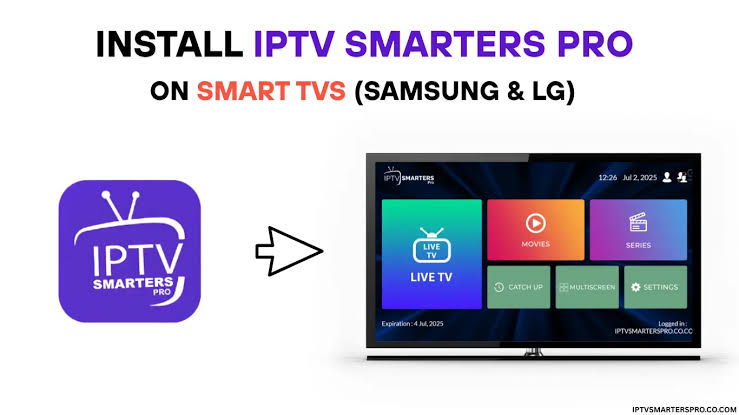
However, IPTV is not a single service or channel package. The quality, legality, content selection, privacy practices, and reliability depend on the provider and the content being offered.
This guide explains how IPTV works on Smart TVs, what you need to get started, how to choose a legitimate service, common setup problems, and important considerations for viewers in the USA and Canada.
Table of Contents
What Is IPTV for Smart TV?
How Does IPTV Work on a Smart TV?
What You Need Before Using IPTV
Smart TVs Compatible With IPTV
How to Set Up IPTV on a Smart TV
Features to Look For
IPTV vs Cable and Satellite
Pros and Cons
How to Choose an IPTV Service
USA-Specific Considerations
Canada-Specific Considerations
Practical Tips for Better Streaming
Common IPTV Mistakes
IPTV Safety, Privacy and Legality
Frequently Asked Questions
Conclusion
Author Bio
What Is IPTV for Smart TV?
IPTV stands for Internet Protocol Television. Rather than delivering television programming through traditional cable or satellite infrastructure, IPTV uses an internet connection to deliver video content to a compatible device.
With IPTV for Smart TV, the television acts as the playback device. Depending on the TV platform and service, viewers may use an IPTV application, an official streaming application, or another supported player.
The basic process is straightforward:
Your Smart TV connects to the internet.
You install or access a compatible application.
You enter the credentials or service information supplied by your provider.
The application connects to the provider's servers.
Available live or on-demand content is displayed on your television.
The important distinction is that IPTV technology itself is not inherently illegal. Legality depends on whether the provider has the appropriate rights and licenses to distribute the content.
How Does IPTV Work on a Smart TV?
IPTV delivers video through an internet connection instead of a conventional broadcast signal.
When you select a channel or program, the IPTV application requests the appropriate stream. The content is then transmitted over your internet connection and decoded by the television.
Live IPTV
Live IPTV works similarly to traditional television from the viewer's perspective. You select a channel and watch its current programming.
Video on Demand
Some services also provide on-demand movies, shows, documentaries, or other programs. Availability depends entirely on the provider's licensing and catalog.
Catch-Up or Replay
Certain legitimate services may offer replay or catch-up functionality, allowing viewers to watch previously broadcast programming for a limited period.
Because IPTV depends on internet connectivity, performance can be affected by network congestion, Wi-Fi quality, server capacity, and the streaming quality selected.
What You Need Before Using IPTV
Setting up IPTV on a Smart TV does not necessarily require complicated equipment.
Generally, you need:
A compatible Smart TV
A reliable internet connection
A compatible IPTV or streaming application
A legitimate IPTV subscription or service
Your account credentials or activation information
Sufficient available storage if an application must be installed
For HD streaming, a stable broadband connection is more important than simply having a high advertised internet speed. For 4K content, the connection and home network need to handle substantially more data.
If possible, connect your television through Ethernet. A strong 5 GHz Wi-Fi connection can also work well when Ethernet is unavailable.
Smart TVs Compatible With IPTV
Compatibility depends on the television's operating system and the application being used.
Common Smart TV platforms include:
Samsung Smart TV — generally uses Tizen
LG Smart TV — generally uses webOS
Android TV
Google TV
Fire TV-based televisions
Other manufacturer-specific Smart TV platforms
Not every IPTV application is available on every television.
Before purchasing a service, check both the provider's supported devices and the application's official availability in your TV's app store.
What If Your Smart TV Does Not Support the App?
You may be able to use another compatible streaming device, depending on the service.
Common options include:
Android TV devices
Google TV devices
Apple TV
Fire TV devices
Chromecast-compatible devices
The key is to verify compatibility rather than assuming that an application available on one television platform will work on another.
How to Set Up IPTV on a Smart TV
The exact installation process varies by television manufacturer and application, but the general procedure is similar.
Step 1: Check Your Internet Connection
Connect the Smart TV to your home network and test streaming with an established service.
If normal HD streaming already buffers frequently, IPTV may experience similar problems.
Step 2: Check App Compatibility
Open your television's official application store and search for the application recommended by your legitimate IPTV provider.
Do not download random applications from unofficial websites simply because they promise free premium channels.
Step 3: Install the Application
Download the compatible application and follow the on-screen installation instructions.
Step 4: Sign In or Add Your Service
Depending on the service, you may need:
Username and password
Activation code
Subscription account
Provider-specific configuration information
Only use credentials supplied by your provider.
Step 5: Test Several Channels
After setup, test different channels and content types.
Check:
Picture quality
Audio synchronization
Channel loading time
Stability
Electronic program guide functionality
On-demand playback, if included
Step 6: Adjust Your Network if Necessary
If playback constantly buffers, investigate your network before immediately blaming the IPTV application.
Try:
Restarting the router.
Restarting the TV.
Moving the TV closer to the Wi-Fi router.
Using Ethernet.
Reducing unnecessary network traffic.
Testing the service at another time.
Features to Look For in IPTV for Smart TV
A good IPTV solution should be evaluated on more than the number of channels advertised.
1. Smart TV Compatibility
Confirm that the service works with your exact TV platform.
2. Streaming Quality
Look for support appropriate to your television and connection, such as:
SD
HD
Full HD
4K UHD
Higher resolution requires more bandwidth and does not automatically mean better viewing if the source quality is poor.
3. Electronic Program Guide
An EPG, or Electronic Program Guide, makes it easier to browse current and upcoming programming.
4. Reliable Playback
Consistency matters more than an impressive channel count. A smaller, properly licensed catalog that works reliably can be more useful than an enormous unstable list.
5. Multiple Device Support
If your household watches on phones, tablets, computers, or streaming devices as well as a Smart TV, check whether the subscription supports those devices.
6. Customer Support
A legitimate provider should make it reasonably clear how customers can obtain support, manage their subscription, and resolve technical issues.
7. Transparent Pricing
Avoid services that hide important costs until checkout or make unclear promises about lifetime access.
IPTV vs Cable and Satellite
Feature | IPTV | Cable TV | Satellite TV |
|---|---|---|---|
Delivery | Internet | Cable network | Satellite |
Internet required | Yes | Usually separate from TV delivery | Usually no |
Smart TV integration | Often strong | Depends on provider | Depends on equipment |
Installation | Often simple | May require technician | Usually requires dish |
Mobility | Internet-dependent | Limited | Limited |
Weather sensitivity | Network dependent | Generally low | Can be affected by severe weather |
Channel availability | Provider-dependent | Provider-dependent | Provider-dependent |
Equipment | May require only TV/app | Set-top box often used | Dish/receiver commonly required |
The best option depends on your location, budget, internet connection, preferred programming, and the services legally available to you.
Pros and Cons of IPTV for Smart TV
Pros
Convenient internet-based delivery
Can reduce the need for additional hardware
Works well with modern Smart TVs
Supports various video resolutions
Can combine live and on-demand viewing
Easy to access from a single television interface
Potentially flexible for households using multiple devices
Cons
Requires a dependable internet connection
Performance can suffer from poor Wi-Fi
App compatibility varies by Smart TV
Quality differs significantly between providers
Some services may have unclear licensing
Privacy and security practices vary
4K streaming can consume substantial bandwidth
How to Choose an IPTV Service
If you're searching for the best IPTV service for a Smart TV, avoid making the decision based only on channel count.
Use this checklist instead.
Verify Legitimacy
The provider should have the necessary rights to distribute the content it offers.
Be cautious when a service promises access to an unusually large collection of premium channels and paid content for an unrealistically low price without explaining licensing.
Check Smart TV Support
Confirm compatibility with your specific television.
For example, an application designed for Android TV does not automatically work on Samsung Tizen or LG webOS.
Review the Subscription Terms
Look for clear information about:
Subscription duration
Renewal terms
Refund policy
Supported devices
Account limitations
Customer support
Consider Reliability
Search for independent customer feedback and look for recurring complaints involving outages, unexplained account suspensions, poor support, or billing issues.
Do not rely exclusively on testimonials published by the provider itself.
Check Privacy Practices
A trustworthy service should provide understandable information about how customer information is collected, stored, and used.
Avoid sharing unnecessary personal information with unfamiliar providers.
USA-Specific Considerations
Viewers in the United States should pay particular attention to content licensing.
Many television networks, sports organizations, movie distributors, and streaming companies control specific distribution rights. A service offering content over the internet needs appropriate authorization for that distribution.
When choosing IPTV in the USA:
Prefer officially licensed services.
Review the provider's terms and privacy policy.
Be particularly careful with services promising unauthorized access to premium sports or pay-TV channels.
Use official applications whenever possible.
Avoid services that encourage suspicious downloads or modified applications.
Internet providers may also impose data limits depending on the customer's plan. Heavy HD and 4K streaming can contribute significantly to monthly data consumption.
Canada-Specific Considerations
Canadian viewers face similar licensing and copyright considerations.
Content availability can differ between Canada and the United States because broadcasting and distribution rights are often territory-specific.
When selecting IPTV in Canada:
Confirm that the service is authorized to provide its Canadian programming.
Check whether desired channels are actually available in your region.
Review billing and cancellation conditions.
Consider your internet provider's data policies.
Protect account information and payment details.
A service being accessible from Canada does not, by itself, prove that its content distribution is authorized.
Practical Tips for Better IPTV Streaming
Even a legitimate service can perform poorly if the home network is not configured properly.
Use Ethernet When Possible
A wired connection generally provides more consistent network performance than congested Wi-Fi.
Keep Your TV Software Updated
Install official firmware and application updates when available.
Updates can improve compatibility, security, and performance.
Avoid Overloading Your Network
If multiple devices are downloading large files, gaming online, or streaming high-resolution video simultaneously, available bandwidth may be reduced.
Match Quality to Your Connection
If 4K playback constantly buffers, try a lower resolution.
A stable HD stream is often preferable to an unreliable 4K stream.
Restart Before Troubleshooting Further
Restarting the TV, application, and router can resolve temporary connectivity issues.
Common IPTV Mistakes to Avoid
Choosing Based Only on Channel Count
A huge channel list does not guarantee reliability, quality, or legal distribution.
Ignoring App Compatibility
Always check whether the required application supports your exact Smart TV operating system.
Using Unofficial APK Files
Installing applications from unknown sources can create unnecessary security and privacy risks.
Assuming IPTV Is Automatically Legal
IPTV is a delivery technology. The legality depends on the content and the provider's rights to distribute it.
Paying for Long-Term Plans Without Research
Before committing to a lengthy subscription, understand the provider's terms, refund policy, reputation, and licensing information.
Blaming IPTV for Every Buffering Problem
Buffering can result from Wi-Fi interference, router limitations, internet congestion, device performance, or server-side problems.
IPTV Safety, Privacy and Legality
This is one of the most important parts of choosing IPTV.
Is IPTV Legal?
IPTV technology is legal. The important issue is whether the service has authorization to distribute the content it provides.
Legitimate examples include licensed broadcasters, established streaming platforms, and authorized television services.
A provider becomes concerning when it distributes copyrighted channels, movies, sports, or other premium content without the required rights.
How Can You Protect Yourself?
Follow basic digital-security practices:
Use strong, unique passwords.
Avoid sharing account credentials.
Download applications from trusted sources.
Keep your Smart TV updated.
Read privacy policies before signing up.
Be cautious with unusually cheap offers.
Avoid entering payment information on suspicious websites.
Verify the provider before purchasing a subscription.
If a service asks you to disable security protections, install questionable software, or provide unnecessary sensitive information, treat that as a warning sign.
Frequently Asked Questions
1. What is IPTV for Smart TV?
IPTV for Smart TV refers to delivering television content through an internet connection and watching it directly through a compatible Smart TV application or platform.
2. Can I use IPTV without a cable subscription?
Yes. IPTV can deliver television over an internet connection, so a traditional cable television subscription is not necessarily required. However, you still need an authorized IPTV or streaming service.
3. Does IPTV work on Samsung Smart TVs?
It can, but compatibility depends on the application's availability for Samsung's Smart TV platform. Always check the current application support before subscribing.
4. Does IPTV work on LG Smart TVs?
Some IPTV applications support LG Smart TVs, while others do not. Check the application's official compatibility information for your TV model and operating system.
5. How fast should my internet be for IPTV?
The required speed depends on video resolution, network conditions, and other household usage. HD generally requires less bandwidth than 4K, while stable connectivity is just as important as raw download speed.
6. Can I watch 4K IPTV on a Smart TV?
Yes, if the television, application, service, source stream, and internet connection all support 4K. A 4K television alone does not guarantee that every IPTV stream will be delivered in 4K.
7. Why does IPTV keep buffering on my Smart TV?
Possible causes include weak Wi-Fi, network congestion, router problems, insufficient bandwidth, application issues, or problems with the provider's streaming infrastructure.
8. Is IPTV legal in the USA and Canada?
IPTV technology is legal. However, individual services must have appropriate rights to distribute the content they offer. Consumers should verify the legitimacy of the service before subscribing.
9. Can I use one IPTV subscription on multiple devices?
That depends on the provider's terms. Some subscriptions permit multiple devices or simultaneous streams, while others restrict usage to a particular number of devices or connections.
10. Should I choose IPTV based on the number of channels?
No. Consider licensing, reliability, compatibility, video quality, customer support, privacy, pricing transparency, and the channels you actually watch.
Conclusion
IPTV for Smart TV can provide a convenient way to access internet-delivered television without relying exclusively on traditional cable or satellite equipment.
The most important step is choosing a service based on legitimacy, compatibility, reliability, privacy, transparent pricing, and actual viewing needs rather than simply selecting the provider with the biggest channel list.
Before subscribing, confirm that the service works with your Smart TV, understand its terms, verify that its content is properly licensed, and make sure your home network can support the desired streaming quality.
For viewers in both the USA and Canada, responsible IPTV use starts with choosing authorized content providers and protecting your personal information.
Author Bio
Author: SEO Content & Streaming Technology Writer
This article was prepared using a human-first editorial approach focused on practical streaming information, consumer considerations, Smart TV compatibility, digital safety, and responsible use of internet-delivered television services.
Comment as Guest